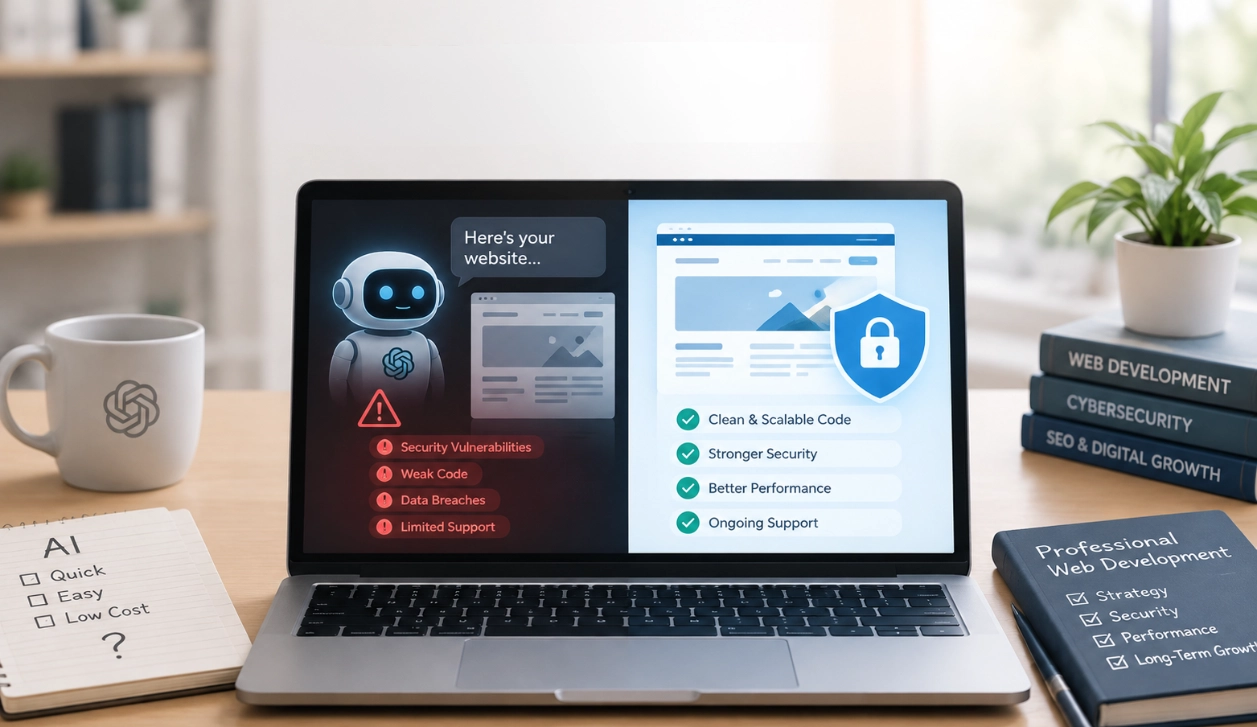
AI tools can help businesses build websites faster and at a lower starting cost. They can create page layouts, write content and even generate code. But can an AI-built website protect your business and your customers?
The answer depends on how the website is built, tested and maintained. AI can support web development, but it cannot guarantee that a website is secure. Without proper checks, a website that looks professional may still have weaknesses that put business data, customer trust and online sales at risk.
For businesses in Cyprus, choosing how to build a website is an important decision. Your website may collect customer details, handle enquiries, process payments or support your marketing. Saving money at the start can become costly if security is overlooked.
What’s Included in This Article
- Can AI build a secure website?
- The risks of relying on AI for web development
- Why professional web development matters
- How to use AI safely in website development
- How to protect your business website
- Frequently asked questions
- Key takeaways
Can AI Build a Secure Website?
Yes, AI can help create a secure website, but using AI alone does not make a website secure.
AI website builders and coding tools can generate code, suggest security measures and help developers find potential problems. They can also speed up common tasks, such as creating page layouts and building simple features.
However, AI-generated code can contain errors, use outdated methods or miss important security requirements. A feature may appear to work correctly without protecting the information behind it.
For example, an AI tool might create a contact form that sends enquiries to your email address. But has the form been tested against spam? Does it handle unexpected input safely? Is customer information stored or sent securely? Are access permissions set correctly?
These questions require more than a working design.
The OWASP Foundation identifies major risks that affect web applications, including broken access controls, security misconfiguration and vulnerable software components. These risks can affect websites built with AI, traditional coding or a website builder.
The key point is simple: AI can help build a website, but security depends on how the website is designed, checked, launched and maintained.
The Risks of Skipping Professional Web Development
Using AI to create a website is not automatically a bad decision. The problem starts when a business publishes the result without proper testing, security checks or a plan for ongoing support.
Here are five risks business owners should understand.
1. Hidden Security Weaknesses
AI-generated code can look correct while still containing security flaws. A website may load quickly, display its pages and accept enquiries, yet have weaknesses that are not visible to visitors.
These may include poor input validation, weak access controls or unsafe ways of handling customer information.
Consider a business website with a customer login area. If access controls are not set up correctly, one user could potentially access information that belongs to another user. A professional developer should check that each user can only access the information and features they are allowed to use.
Security testing helps uncover these issues before attackers find them.
Without it, a business may not discover a weakness until a customer reports suspicious activity or the website is compromised.
2. Poor Handling of Customer Data
Many business websites collect personal information through contact forms, booking systems, account registrations and online purchases.
This information must be handled with care. A website should only collect what it needs and should protect that information from unauthorised access.
An AI tool may generate a form or database connection, but the business still needs to check how the data is collected, transmitted, stored and accessed.
For example, an online shop needs to protect customer accounts and order details. A website that accepts payments must also use an appropriate payment solution and follow the relevant security requirements.
Businesses operating in Cyprus should also consider their obligations under the General Data Protection Regulation (GDPR), where applicable. These can include providing clear privacy information and using suitable measures to protect personal data.
Read the official European Commission guidance on data protection under the GDPR.
3. Outdated or Unsafe Website Components
Websites often rely on themes, plugins, libraries and other third-party tools. These components add useful features, but they can also introduce security risks if they are outdated, poorly maintained or unsafe.
AI tools may recommend a package or plugin that appears suitable without fully checking its maintenance history, known vulnerabilities or compatibility with the rest of the website.
This matters for websites built with content management systems such as WordPress. An outdated plugin or theme can create an entry point for an attacker.
Professional development should include checking which components are needed, choosing trusted options and removing anything that is unnecessary. After launch, updates must be managed to reduce the risk of known vulnerabilities.
A website is not secure simply because it worked on the day it went live.
4. Weak Website Configuration
Website security depends on more than the code. Hosting settings, user permissions, passwords, backups and server configuration also matter.
An AI-generated website may not be set up with the right security controls. For example, administrator accounts could have excessive permissions, sensitive information could be exposed in configuration files, or backups could be missing.
HTTPS is another important part of website security. It helps protect information sent between a visitor’s browser and the website. However, having an SSL/TLS certificate does not mean the entire website is secure.
Other safeguards may include strong authentication, restricted administrator access, secure hosting, regular backups and monitoring.
These measures need to work together. Skipping them can leave a business exposed even when the website itself looks polished.
5. Problems That Appear After Launch
Website security is an ongoing responsibility. New vulnerabilities can be discovered, software updates can change how features work, and websites can face new threats over time.
An AI tool may help you create a website today, but that does not mean it will automatically identify every problem that appears in the future.
Without a maintenance plan, a business may miss important updates, fail to spot suspicious activity or discover that its backups do not work when they are needed.
A compromised website can lead to downtime, lost enquiries, interrupted sales and damage to your brand’s reputation.
Professional website support can help businesses keep their websites updated, backed up and checked as their needs change.
Why Professional Web Development Still Matters
Professional web development is not just about writing code or making a website look attractive. It brings together planning, design, technical setup, testing and ongoing care.
A developer can assess what your business needs, choose suitable tools and check whether the finished website works as expected.
Here are the main areas where professional support makes a difference.
Security Planning Before Development
A secure website starts with understanding its purpose and risks.
A simple information website may need different safeguards from an online shop that stores order information or a platform with customer accounts.
Professional planning helps identify what information the website will collect, which features require restricted access and what security controls should be in place from the start.
This approach can reduce the need for expensive fixes later.
Proper Testing Before Launch
A website should be checked before it is made available to the public.
Testing can include checking forms, user permissions, login processes, software dependencies, mobile performance and the way the website handles unexpected input.
More complex websites may also need specialist security reviews or penetration testing. The level of testing should match the risks and complexity of the project.
AI can assist with code reviews and test creation, but a qualified person should assess the results and verify important findings.
A Website Built Around Your Business
AI website builders often work well for straightforward projects. However, a growing business may need custom forms, booking features, e-commerce functions, integrations or specific access rules.
Professional development helps ensure these features work together and support your business goals.
For businesses in Cyprus, this may mean building a website that supports local customers, presents services clearly and makes it easy for visitors to enquire or buy.
At Absolute Websites, web development can also be planned alongside usability, search engine optimisation (SEO), mobile design and ongoing support. This helps create a website that is designed for more than appearance alone.
Ongoing Maintenance and Support
Security does not end when a website launches.
Regular maintenance can include software updates, backups, technical checks and troubleshooting. It also helps ensure the website continues to work as the business grows.
If you use WordPress, for example, keeping WordPress core, themes and plugins updated is an important part of managing the website. Updates should be handled carefully, with suitable backups and checks to reduce the risk of disruption.
Professional support gives businesses a clearer process for dealing with technical issues rather than waiting until something breaks.
AI Website Builder vs Professional Web Development
AI tools and professional developers can both play a useful role. The right choice depends on your website’s purpose, complexity and the level of risk involved.
| Area | AI website builder used without expert checks | Professional web development |
| Initial setup | Can be quick and simple | Includes planning and setup |
| Design and content | Can generate layouts and draft copy | Can tailor the website to your brand and audience |
| Security | May provide built-in protections, but coverage varies | Can assess risks and apply suitable controls |
| Custom features | Depends on the platform and its limits | Can support more complex requirements |
| Testing | May offer automated checks | Can combine functional checks with risk-based security testing |
| Maintenance | Depends on the platform and your own process | Can include planned updates and technical support |
This comparison is not a claim that every AI website is insecure or that every professionally developed website is secure. Some website builders provide strong built-in protections, and professional developers can also make mistakes.
The important difference is whether the website has suitable security controls, has been tested and will be maintained.
For a basic website with no sensitive functions, a reputable website builder may be enough. For a business website that handles customer data, payments or important business processes, a more thorough assessment is sensible.
How to Use AI Safely in Website Development
Businesses do not need to avoid AI to protect their websites. Instead, AI should be used as a tool within a clear development process.
Use AI for Support, Not as the Final Decision-Maker
AI can help draft content, suggest design ideas, create early code and explain technical concepts. A developer can then review the output, make changes and test it before release.
This approach combines the speed of AI with human judgement and accountability.
Avoid Sharing Sensitive Information
Do not paste passwords, private customer records, API keys or other confidential information into AI tools unless the tool and its approved settings are suitable for that information.
Check the provider’s privacy and data-handling terms. Limit the access given to AI coding agents and other tools, especially when they can edit files, install software or run commands.
Test AI-Generated Code
Do not assume that code is safe because an AI tool says it is correct.
Review important features, check dependencies and run suitable tests. Pay particular attention to logins, user permissions, payment-related functions and forms that accept information from visitors.
For higher-risk projects, arrange a specialist security review.
Choose Trusted Tools and Keep Them Updated
Use established platforms, reputable plugins and supported software versions. Remove tools that are no longer needed and keep track of updates that affect security.
For WordPress websites, this means choosing suitable themes and plugins and maintaining them over time.
Plan for Backups and Recovery
Keep regular backups and check that the website can be restored from them. Backups should be protected from unauthorised access and, where practical, kept separately from the live website.
A recovery plan helps your business respond more effectively if the website is damaged, compromised or taken offline.
How to Protect Your Business Website
Whether your website was created with AI, a website builder or custom code, use this checklist to review its security.
- Use HTTPS: Make sure the website uses a valid certificate and redirects visitors to the secure version.
- Secure administrator accounts: Use strong, unique passwords and multi-factor authentication where available.
- Limit access: Give users only the permissions they need.
- Update software: Keep the content management system, themes, plugins and other components supported and up to date.
- Review forms and data collection: Check how visitor information is validated, transmitted and stored.
- Maintain backups: Back up the website regularly and test restoration.
- Check hosting security: Review available security controls, access settings and support arrangements.
- Monitor for problems: Look for unusual activity, unexpected changes and warnings from your hosting provider or security tools.
- Plan maintenance: Decide who will manage updates, investigate issues and restore the website if needed.
Not every website needs the same level of protection. The right setup depends on what the website does and the information it handles. A qualified developer can help identify which safeguards are most important for your business.
Frequently Asked Questions
Can AI build a secure WordPress website?
Yes. AI can assist with WordPress design, content and development, but security depends on the platform setup, theme and plugins, access controls, testing and maintenance. A WordPress website should be checked before launch and kept updated afterwards.
Is an AI-built website more vulnerable to hackers?
Not necessarily. AI-built websites are not automatically less secure than websites built by people. However, AI-generated code can contain errors or unsafe patterns if it is not reviewed. The main concern is publishing a website without suitable security checks and ongoing maintenance.
Do small businesses in Cyprus need professional web development?
Not every small business needs a fully custom website. A simple site built with a reputable platform may meet basic needs. However, professional help becomes more valuable when the website handles personal data, online payments, customer accounts, bookings or custom business processes.
Does HTTPS make my website secure?
No. HTTPS helps protect data sent between the visitor and the website, but it does not fix every security weakness. Your website also needs suitable access controls, secure software, safe configuration, updates and other protections based on its purpose.
Can AI replace a professional web developer?
AI can automate some development tasks and help people build simple websites. However, it does not remove the need for planning, technical review, testing and maintenance. For business-critical websites, professional oversight helps ensure the result meets the business’s functional and security needs.
Conclusion
AI has made website creation faster and more accessible. Businesses can use it to explore ideas, produce content and support parts of the development process. But speed alone is not enough when a website represents your brand and handles customer information.
The real risk is not using AI. It is relying on AI-generated output without checking whether the website is secure, reliable and suitable for your business.
A well-built website needs the right technical choices, proper testing and ongoing care. If your website supports sales, enquiries or daily business operations, investing in professional development can help reduce avoidable risks and support long-term growth.
Planning a new website or concerned about the security of your current one? Absolute Websites helps businesses in Cyprus build and maintain websites with design, development and ongoing technical support in mind. Contact Absolute Websites to discuss your website requirements.
Key Takeaways
- AI can help build websites, but it cannot guarantee security.
- AI-generated code may contain errors or unsafe patterns if it is not reviewed.
- Poor access controls, outdated plugins and weak configuration can expose a website to risk.
- HTTPS is important, but it is only one part of website security.
- Professional development helps with planning, testing, suitable security controls and ongoing maintenance.
- AI can be useful when combined with human review and a clear development process.
- Every business website should have a suitable update, backup and recovery plan.